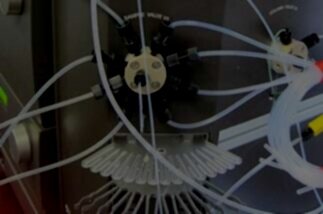

Molecular Devices™ ClonePix Mammalian Colony Picking System Series
You rely on your equipment. Your equipment should rely on ATG.
At Analytical Technologies Group, we specialize in the maintenance and repair of ClonePix Series Mammalian Colony Picking Systems from Molecular Devices. By focusing on this platform and maintaining a deep inventory of critical spare parts, we’re able to deliver rapid, dependable service that keeps your screening workflows operating at full capacity.
High-performance systems like the ClonePix, ClonePix FL and ClonePix 2 require consistent, expert care to preserve imaging accuracy, fluorescence performance, and precise colony selection. Minor calibration drift or hardware wear can halt throughput and compromise selection quality. For years, experienced scientists have trusted ATG to keep their ClonePix systems performing exactly as designed. Your should too.
-
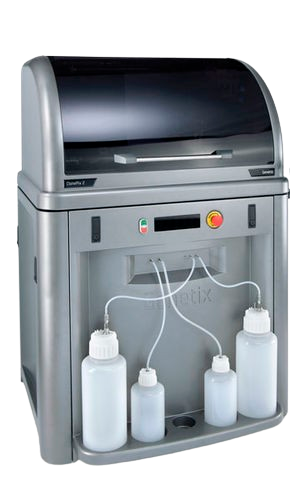
ClonePix & ClonePix 2
-
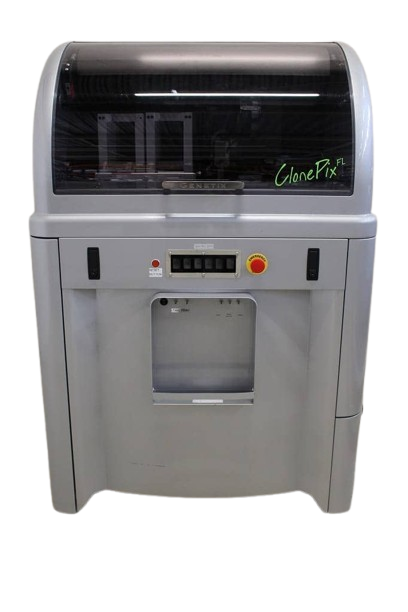
ClonePix FL
Tips for keeping your Molecular Devices™ ClonePix Series Colony Picker in good working order:
Daily Maintenance:
Check that the instrument interior is clean and free from any obstruction.
Ensure sterile water feed bottle is connected to the system fluid supply line. Empty the waste bottle every time that a new sterile water bottle is connected.
If the system has been sanitized, purge the system fluid supply line on first use to remove air bubbles that develop overnight. If there is doubt about sterility, run the Prepare for Pick Run routine that includes a purge of the system fluid supply line.
Weekly Maintenance:
Any week that the ClonePix 2 system is not used, it is important to purge the system fluid supply line with sterile water and sporicide. Failure to keep the pumps regularly primed may lead to system malfunction.
Sonicate the picking pins.
Check the compressed air filter for signs of moisture. If necessary, push the drain upwards to force moisture out.
Monthly Maintenance:
Sanitize the picking head and silicon fluid tubing.
Sanitize the source plate illumination cover.
Having technical problems with your Molecular Devices™ ClonePix Series Colony Picker?
Fast Response
We provide very prompt responses to customers within one business day.
Fast Turnaround
Our field service engineers are expediently dispatched across North America & Europe to fulfill your service request.
Expert Staff
ATG’s highly trained, highly skilled staff ensure your instruments remain in optimal condition.
Parts In Stock
To minimize instrument downtime, we stock virtually all parts for the systems in which we specialize.
Molecular Devices™ ClonePix Series Colony Picker Troubleshooting Tips:
If one or more of the axes will not move:
Check that the main power is turned on and the START button has been pressed.
Manually move the actuator to the middle of the bed.
Disconnect and reconnect the control cable between the computer and right side of the instrument. A small screwdriver might be needed.
Re-start the instrument.
Picking alignment is incorrect:
Ensure that the pins are correctly aligned.
Check for any bent pins and replace as needed.
Water is leaking from picking head or actuator:
The pin might be blocked. Replace with a new pin.
Double-click to edit...